Feature
Rental agreements built from the booking, signed by both sides
A paper contract at the handover is where damage disputes are lost: the plate was mistyped, the fuel level was never written down, the signed copy is in a drawer nobody can find. Renviq writes the agreement from the booking itself, has both sides sign it, and keeps the signed PDF with the booking, together with a record of who signed, when and from where.
Capabilities
- Built from booking
- Dual signer
- E-signature
- PDF export
The real screen
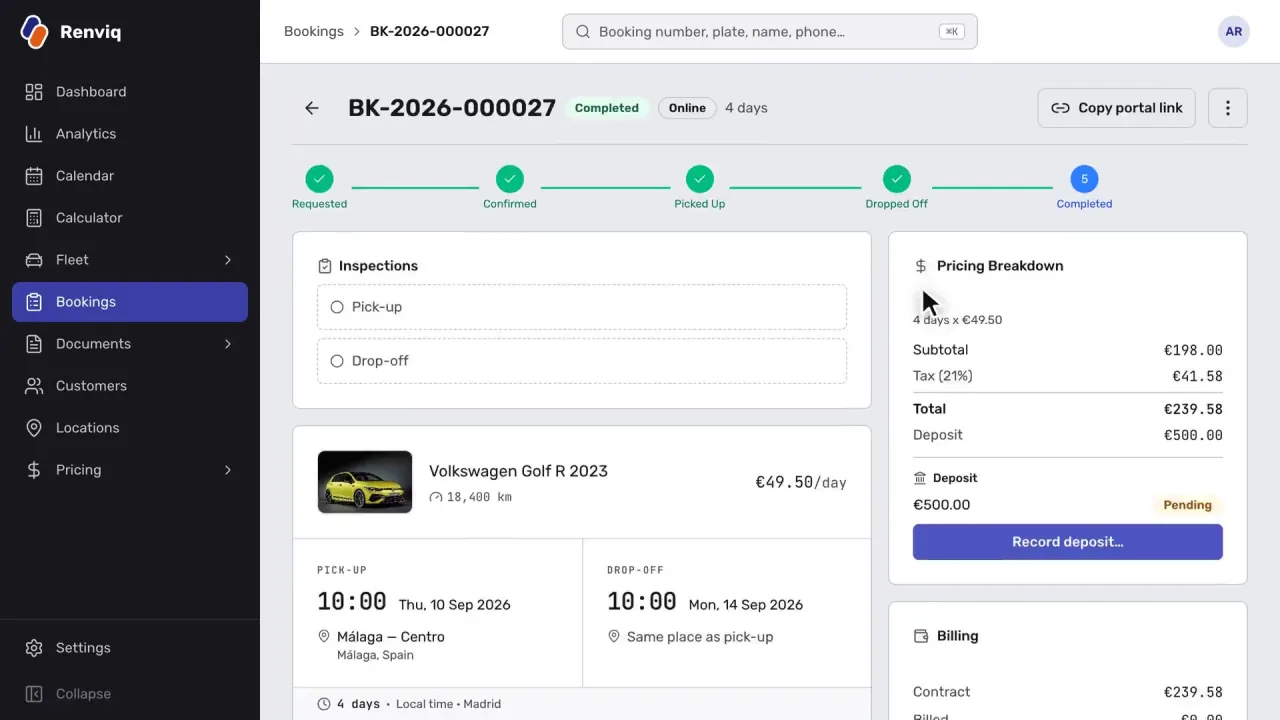
No mockup. This is the running app.
How it works
Generate, sign, keep
Every field comes from the booking
The renter's name, address, date of birth and licence number, the plate or VIN (or a boat's registration and HIN), the rental period, price and tax, the fuel policy, the free-cancellation window and the excess the renter carries. Your own terms print underneath, per language. Nothing is retyped, so nothing is mistyped.
Signed at the counter or by link
At the handover, you and the renter sign on the same phone or tablet. When the renter is not there yet, they get a link by email and sign remotely, and you can countersign. The agreement is final only once every signer has signed.
A signed PDF you can still check a year later
The signed PDF stays with the booking. The signing record keeps a fingerprint of the exact document that was sent, each signer's name and email, the time and the IP address. If the booking changes after signing, the agreement gets a new version to sign and the signed one stays on file.
Works for every kind of fleet
Questions
Rental agreements: questions operators ask
Is an e-signed rental agreement legally valid?
In the EU, a court cannot refuse an electronic signature as evidence just because it is electronic (eIDAS, article 25). Renviq collects a simple electronic signature backed by its signing record: the document fingerprint, the time, the IP address and the signer's details. Only a qualified electronic signature carries the automatic weight of a handwritten one, so if your contracts need that, use a qualified provider.
Can I use my own terms and conditions?
Yes. Add your terms in settings, once per language, and they print under the generated part of every agreement. The fuel policy, cancellation window and excess come from your settings and are frozen into each agreement, so a later change never rewrites a contract that was already signed.
Is signing a paid add-on?
No. Agreements, both ways of signing and the PDF archive are on every plan, Free included.
Stop juggling tabs
Start your free account today.
No card required. Set up in under an hour.
Start free